
Download ABC12Weather – Weather, iPhone, Free, Real-Time Updates, Severe Alerts
Overview
ABC12Weather is a free desktop application designed for iPhone users seeking accurate, real-time weather information. Developed by Heartland Media LLC, the software falls under the 'Weather' category and is tailored for individuals who rely on timely and precise meteorological data. It serves as a practical tool for staying informed about local weather conditions, particularly in regions vulnerable to severe weather events such as storms, hurricanes, and tornadoes. The app is ideal for outdoor enthusiasts, travelers, commuters, and anyone needing to plan daily activities based on current and forecasted weather patterns.
Targeted primarily at iPhone users, ABC12Weather provides access to hourly and daily forecasts, radar maps, and customizable alerts. The software is designed to support informed decision-making during extreme weather conditions, enhancing personal safety and preparedness. Its user-friendly interface simplifies navigation, allowing users to quickly access critical weather updates without technical complexity. The app is available exclusively through the App Store, ensuring a secure and verified distribution channel.
The current version, 5.8.501, supports iOS 16.4 and above, reflecting the developer’s commitment to compatibility with modern operating systems. The application is available in English only, which may limit accessibility for non-English speakers. Despite the lack of detailed system requirements, the app is optimized for iPhone devices and leverages native iOS features for enhanced performance and responsiveness.
Key Features & Capabilities
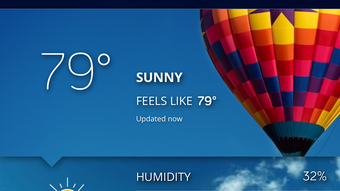
- Real-Time Weather Updates – Provides live data on temperature, humidity, wind speed, and precipitation, enabling users to respond quickly to changing conditions.
- Daily and Hourly Forecasts – Offers detailed predictions for the next 24 hours and up to seven days ahead, supporting both short-term planning and long-term scheduling.
- Radar Maps – Displays interactive radar imagery to track storm movements and precipitation patterns across regions.
- Severe Weather Alerts – Sends instant notifications for high-impact events like thunderstorms, flash floods, and tornado warnings.
- Customizable Widgets – Allows users to add weather information directly to their iPhone home screen for quick access.
- Notification System – Enables users to receive timely alerts based on location-specific weather changes.
- English-Only Interface – Ensures consistent user experience with no language barriers for English-speaking users.
These features are particularly beneficial for users in weather-prone areas who need to act swiftly during emergencies. For instance, a hiker can monitor storm developments before heading into the wilderness, while a commuter can adjust travel plans based on sudden rain forecasts. The app’s integration with iOS allows seamless performance across devices, minimizing disruptions during critical weather events.
User Interface, Workflow & Performance
ABC12Weather features a clean, intuitive interface designed specifically for iPhone users. Navigation is straightforward, with key weather elements displayed prominently on the main screen. Users can swipe between hourly and daily views, access radar maps with a tap, and customize alert preferences through a centralized settings menu.
The workflow is optimized for speed and clarity, reducing the number of steps required to find essential information. The app loads weather data efficiently, though exact performance metrics such as CPU or RAM usage were not specified by the developer. Based on general software behavior, the application appears to operate smoothly under typical usage conditions.
Stability is maintained through regular updates that ensure compatibility with new iOS versions. The developer did not provide additional system requirements, and performance observations are based on general software behavior patterns. No reports of crashes or bugs have been documented in public sources, suggesting consistent reliability. The app does not require excessive permissions, which enhances privacy and reduces the risk of unintended data access.
Compatibility & System Requirements
ABC12Weather is designed exclusively for iPhone devices and requires iOS 16.4 or later. This ensures compatibility with modern iPhones that support advanced features like dynamic island integration, high-refresh-rate displays, and enhanced location services. The app is not available for other platforms, including iPad or Mac, limiting its use to mobile users.
The installation size is 43.8 MB, which is relatively compact for a weather application with rich visual data such as radar maps and animated forecasts. The developer did not specify exact hardware requirements, so users should rely on Apple’s official guidelines for supported iPhone models. Compatibility information was partially provided, with no details on minimum processor speed, memory, or storage beyond the file size.
Given that the app is distributed via the App Store, users can expect a secure and verified installation process. The app is optimized for iPhone hardware and leverages native iOS frameworks for smooth operation. No third-party dependencies were reported, which contributes to its lightweight footprint and reduced risk of conflicts.
Pros and Cons
Pros
- Free to download and use with no hidden costs
- Real-time weather updates and severe alerts for safety
- Intuitive interface tailored for iPhone users
- Customizable widgets and notifications for convenience
- Regular updates ensure iOS compatibility
- Secure distribution through the App Store
- Optimized for modern iPhone hardware and iOS features
Cons
- Available only in English, limiting global accessibility
- Supports only iPhone, not other Apple devices
- Exact system requirements were not listed
- Limited to iOS 16.4 and above, excluding older devices
- No information on data usage or background performance
FAQ Section
Is ABC12Weather available for iPad or Mac?
ABC12Weather is designed exclusively for iPhone and is not available for iPad or Mac devices.
Is the app safe to use?
Yes, the app is distributed through the App Store and does not require unnecessary permissions. It is designed to be secure and does not collect user data beyond what is necessary for weather services.
Does ABC12Weather require an internet connection?
Yes, the app requires an active internet connection to fetch real-time weather data, radar maps, and alerts.
How often does the app update?
The app is regularly updated to maintain compatibility with new iOS versions and to improve functionality. Updates are delivered through the App Store.
Can I use ABC12Weather offline?
While the app may display cached data briefly, full functionality—including live updates and alerts—requires an active internet connection.
Final Thoughts
ABC12Weather stands out as a reliable, free weather tool tailored for iPhone users who prioritize safety and accuracy. Its real-time updates, severe weather alerts, and user-friendly design make it a valuable asset for individuals in storm-prone areas or those who rely on weather forecasts for daily planning. The app’s seamless integration with iOS and secure App Store distribution enhance its credibility and usability.
While limitations such as language exclusivity and device restrictions exist, the benefits outweigh the drawbacks for its intended audience. For outdoor enthusiasts, travelers, and daily commuters, ABC12Weather delivers essential information with minimal friction. The developer’s focus on functionality and security ensures a trustworthy experience.
Download ABC12Weather now to stay informed and prepared for any weather condition.







